
Evo Voice supports Twilio's trusted calling features, SHAKEN/STIR, ensuring your numbers are recognized as trusted entities.
Getting Started
-
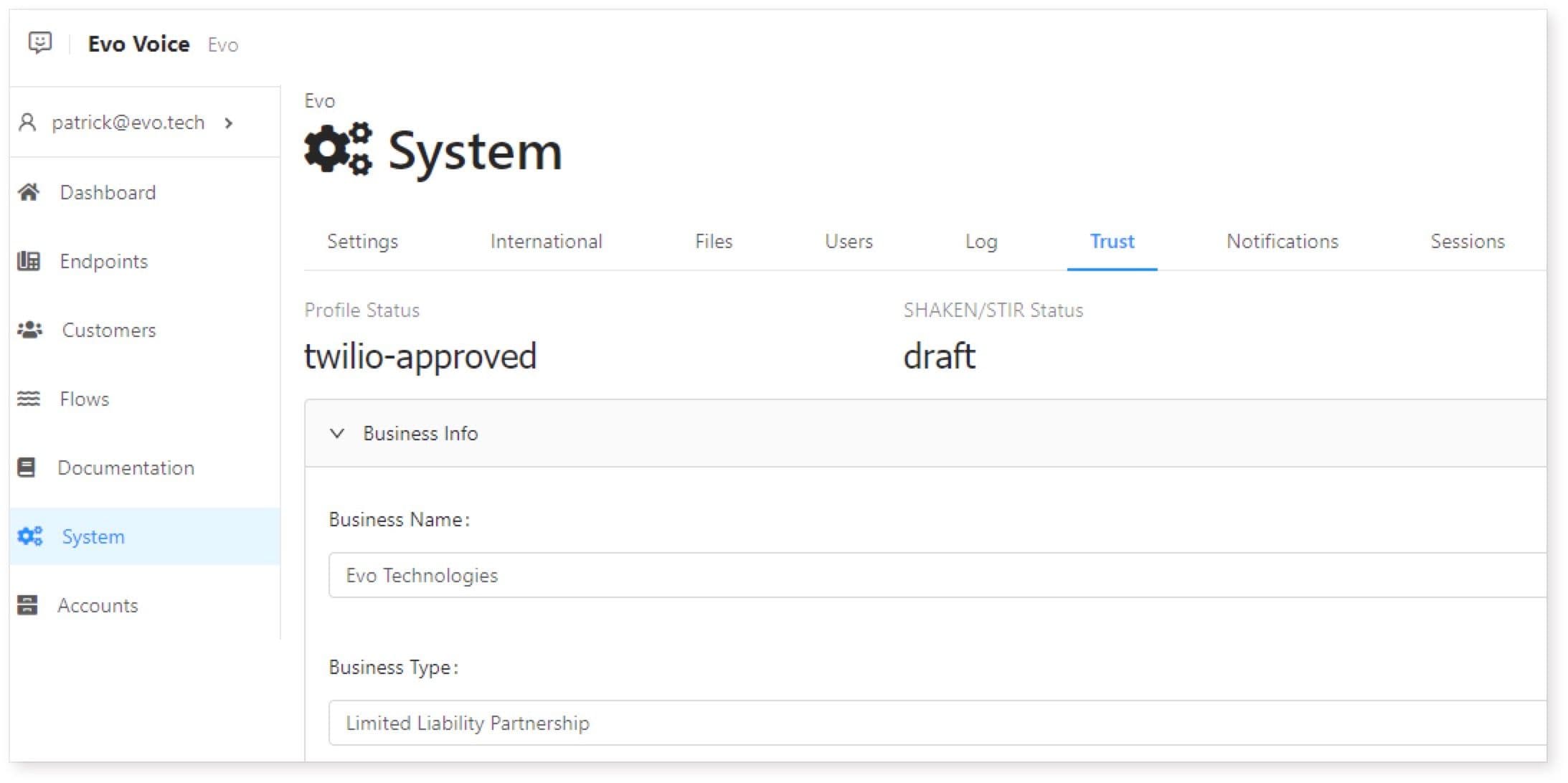
Access Trust Tab:
- Navigate to the System section and click on the Trust tab.
-
Fill Out Information:
-
Ensure your Profile Status and SHAKEN/STIR status are both "draft."
-
Complete the following sections:
-
Business Info
Ensure accurate business information is provided as Twilio validates it. In case of inaccuracies, the profile may be rejected. Drop-downs are provided where available to prevent invalid entries.
| Field | Description |
|---|---|
| Business Name | Your legal business name |
| Business Type | Type of business (choose from list) |
| Registration Type | How Twilio will validate your business identity (e.g., EIN or DUNS number) |
| Business Identifier | Number/ID based on registration type (e.g., EIN/DUNS number) |
| Industry | Select closest industry from list |
| Website | Valid URL (with http) |
| Region | Choose region from list |
-
Provide valid company information.
-
Fill in details like Business Name, Type, Registration Type, Identifier, Industry, Website, Region.
Address
- Enter your business address and associated customer name.
Representatives
- Add two representatives with valid contact information.
-
Saving/Submission:
-
Click "Save" to save your data.
-
Once all sections are fully filled, click "Submit to Twilio" for submission.
-
Monitor your Profile Status for updates.
-
Checking Status
-
Profile Approval:
-
Check Profile Status for "rejected" or "pending approval."
-
If rejected, review entered data; if pending, wait for approval.
-
-
Twilio Approval:
-
Once "twilio-approved," submit SHAKEN/STIR information.
-
Monitor status and set reminders for updates.
-
Rejections
- If profile is rejected and cause is unclear, contact your Evo Voice representative for assistance.
By following these steps, you can ensure your numbers are trusted and recognized by SHAKEN/STIR, minimizing the likelihood of being flagged as spam.