
Overview
Flushing a stuck call in EvoVoice refers to the process of manually removing a call that remains active in the system due to a failure in termination. Calls can get stuck for various reasons, such as network interruptions, software glitches, or improper call handling by the system. When a call is stuck, it may occupy system resources, cause disruptions in call handling, and prevent new calls from connecting properly. Flushing ensures that the stuck call is forcefully ended, restoring normal system functionality.
Prerequisites
-
Call details from the IA (Interactive Agent) or a screenshot of the stuck call.
-
Required information:
-
Caller ID
-
Client Name
-
Time of the stuck call
-
Steps to Flush a Stuck Call
1. Gather Call Details
-
Obtain call details from the IA or request a screenshot of the stuck call.
-
Note down the following information:
-
Caller ID
-
Client Name
-
Time of the call
-
2. Locate the Stuck Call in EvoVoice
-
Log in to EvoVoice.
-
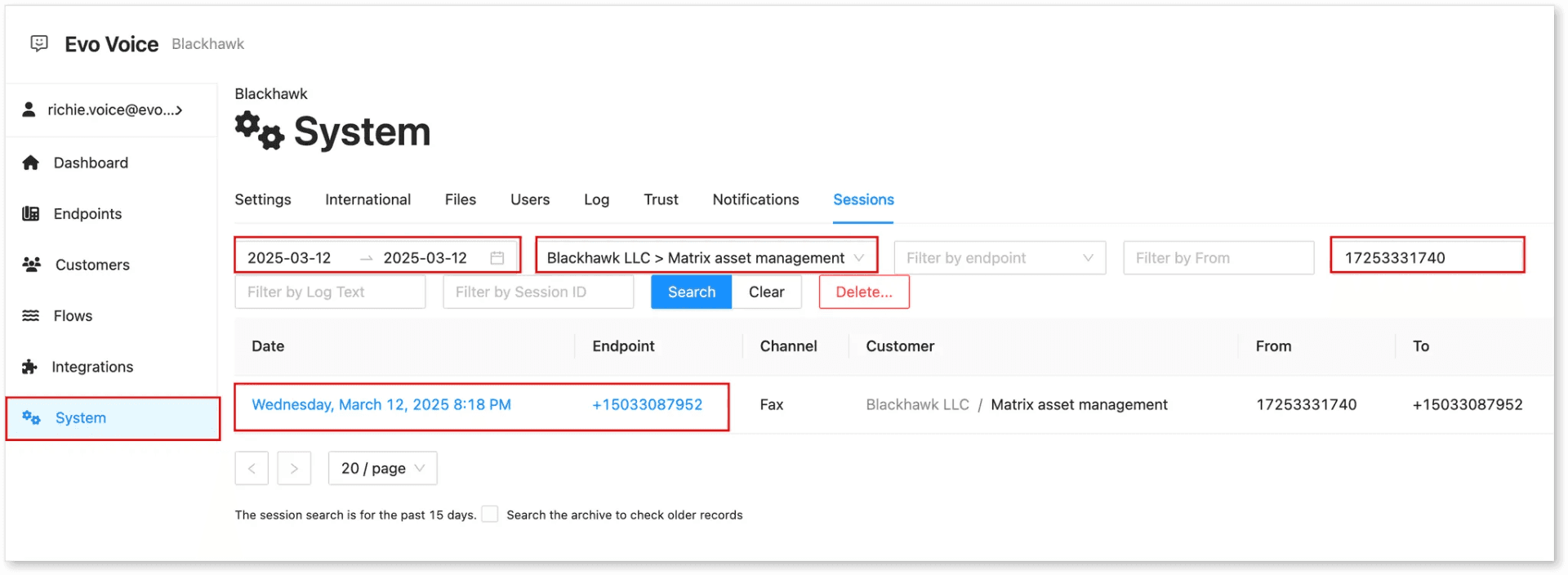
Navigate to System > Sessions.
-
Use the following filters to find the stuck call:
-
Filter By Customer: Enter the Client Name.
-
Filter By From: Enter the Caller ID.
-
-
Scroll through the list and locate the stuck call by checking the timestamp.
3. Flush the Stuck Call
-
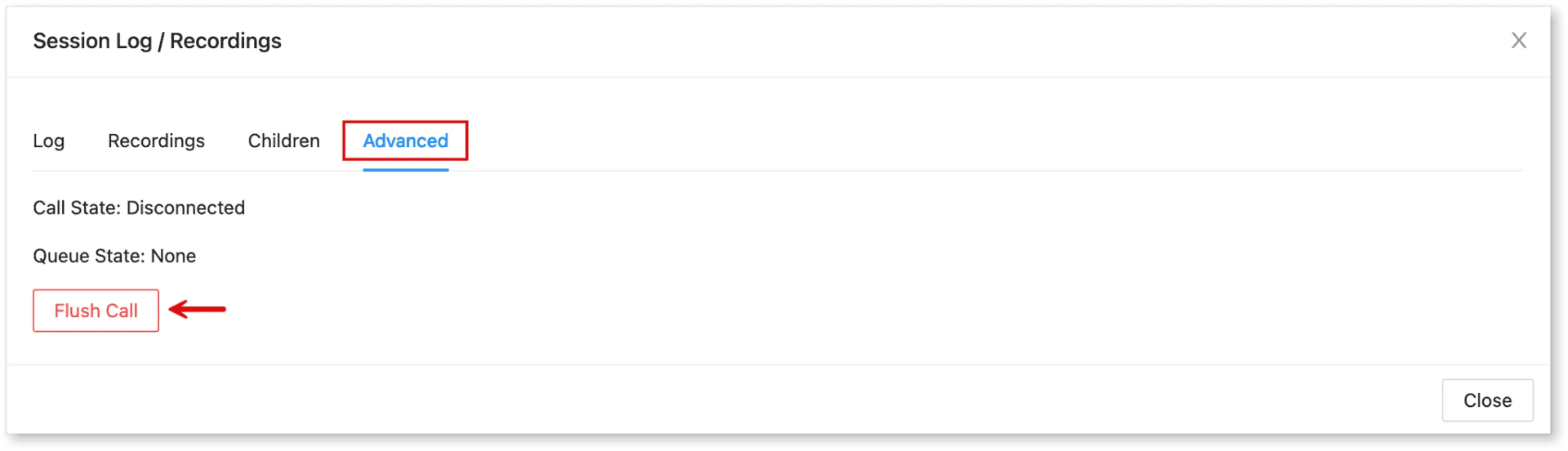
Click on the identified stuck call.
-
Go to Advanced.
-
Click Flush Call to remove it from the system.
Example
-
Client Name: Matrix Asset Management
-
Caller ID: 17253331740
-
Time: 8:18 PM
Conclusion
Following these steps ensures that stuck calls are properly identified and flushed, preventing potential call disruptions. If issues persist, verify the call details and retry the steps.