
Evo Voice provides nodes for time of day routing, including the Day of Week Node and the Time of Day Node.
Testing Time of Day
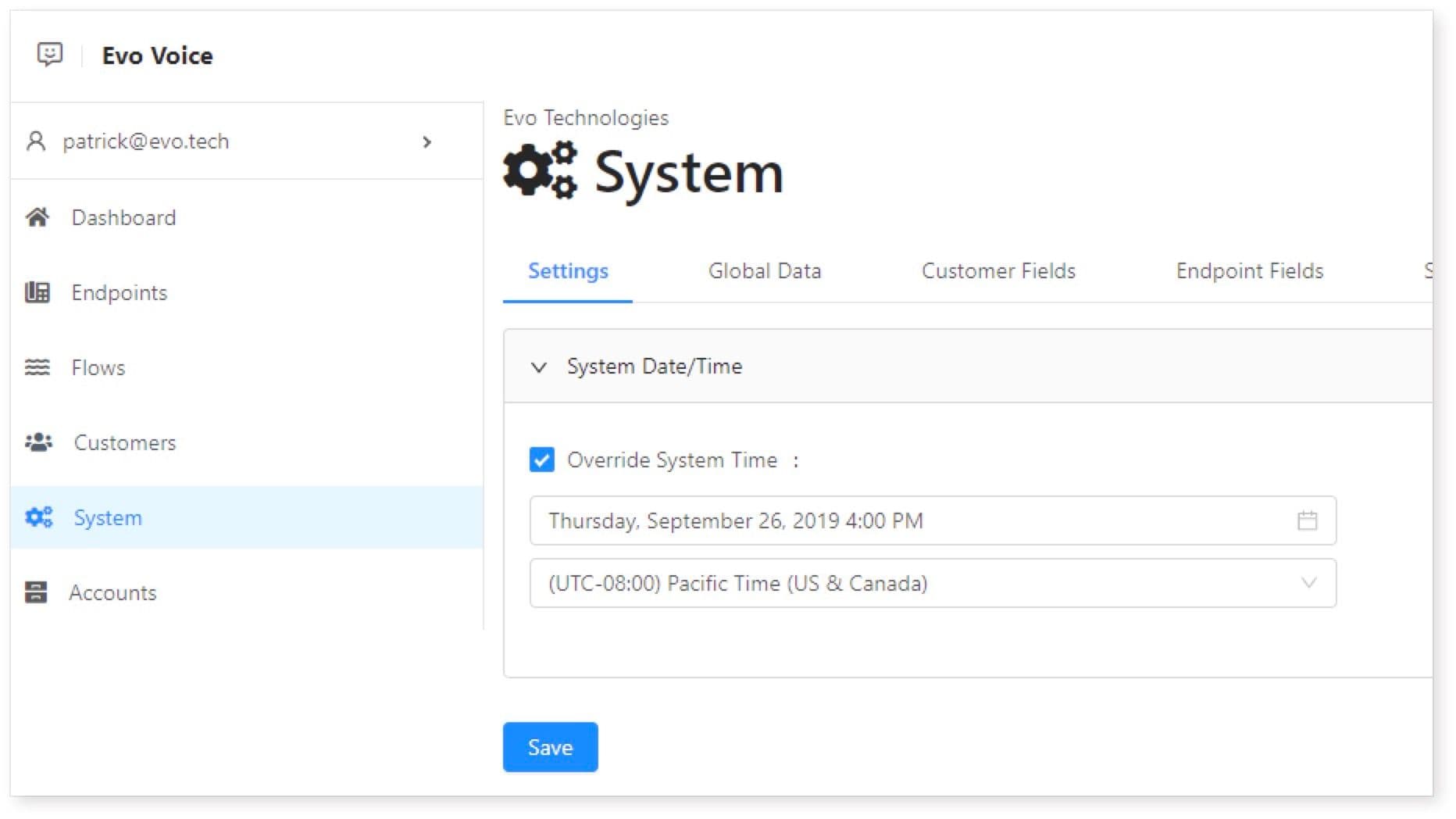
Evo Voice offers a system setting to override the system date/time for testing time of day routes.
-
Access System Settings:
- Navigate to System > Settings tab.
-
Override Date/Time:
- Set a custom date and time, along with the local time zone.
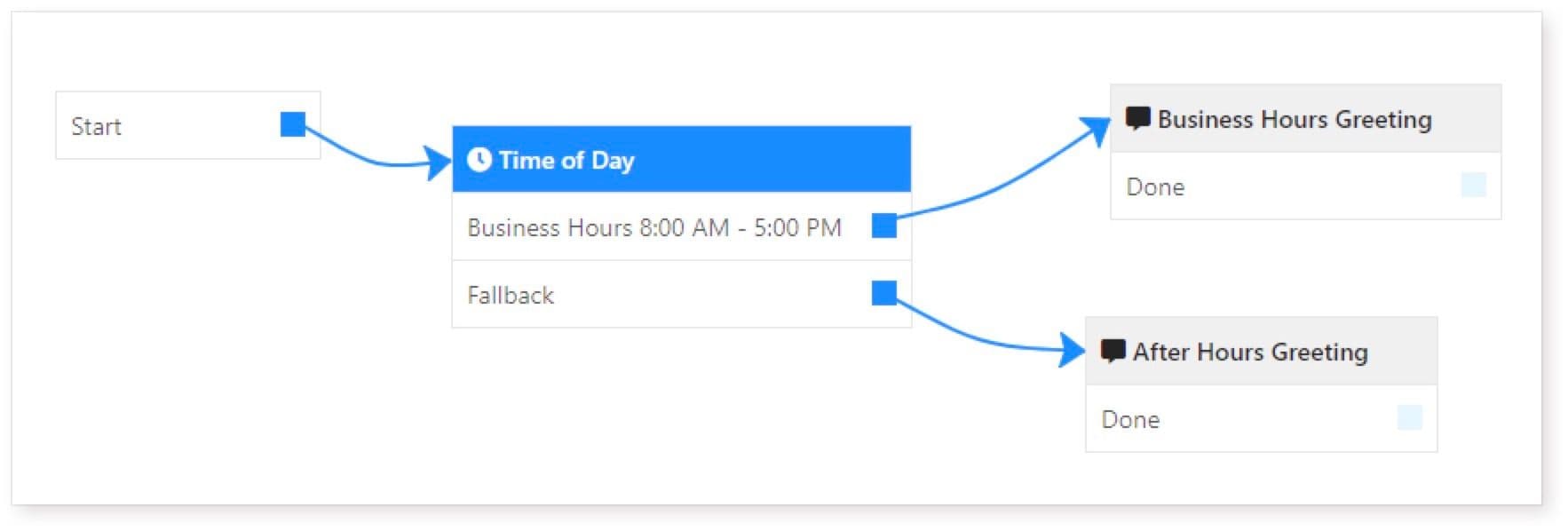
Example: Suppose we set the system time to 4:00 PM on September 26, 2019, Pacific Time.
-
Set Up Flow:
- Create a flow for business hours greeting.
-
Test:
- Calls or messages will trigger the business hours greeting.
-
Adjust System Settings:
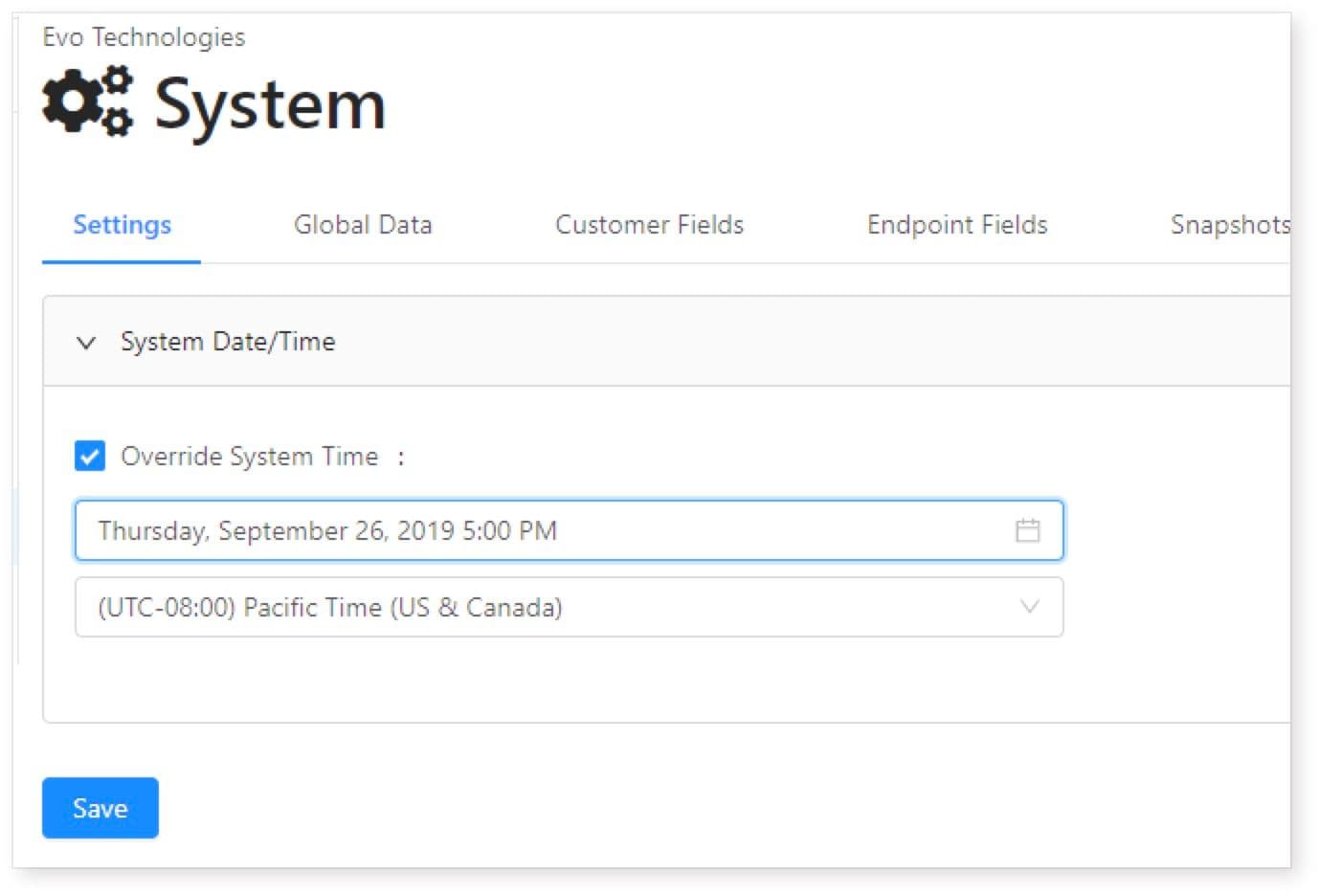
- Change the system time to after hours.
-
Test Again:
- Calls or messages will now trigger the after hours greeting.
Additional Functionality
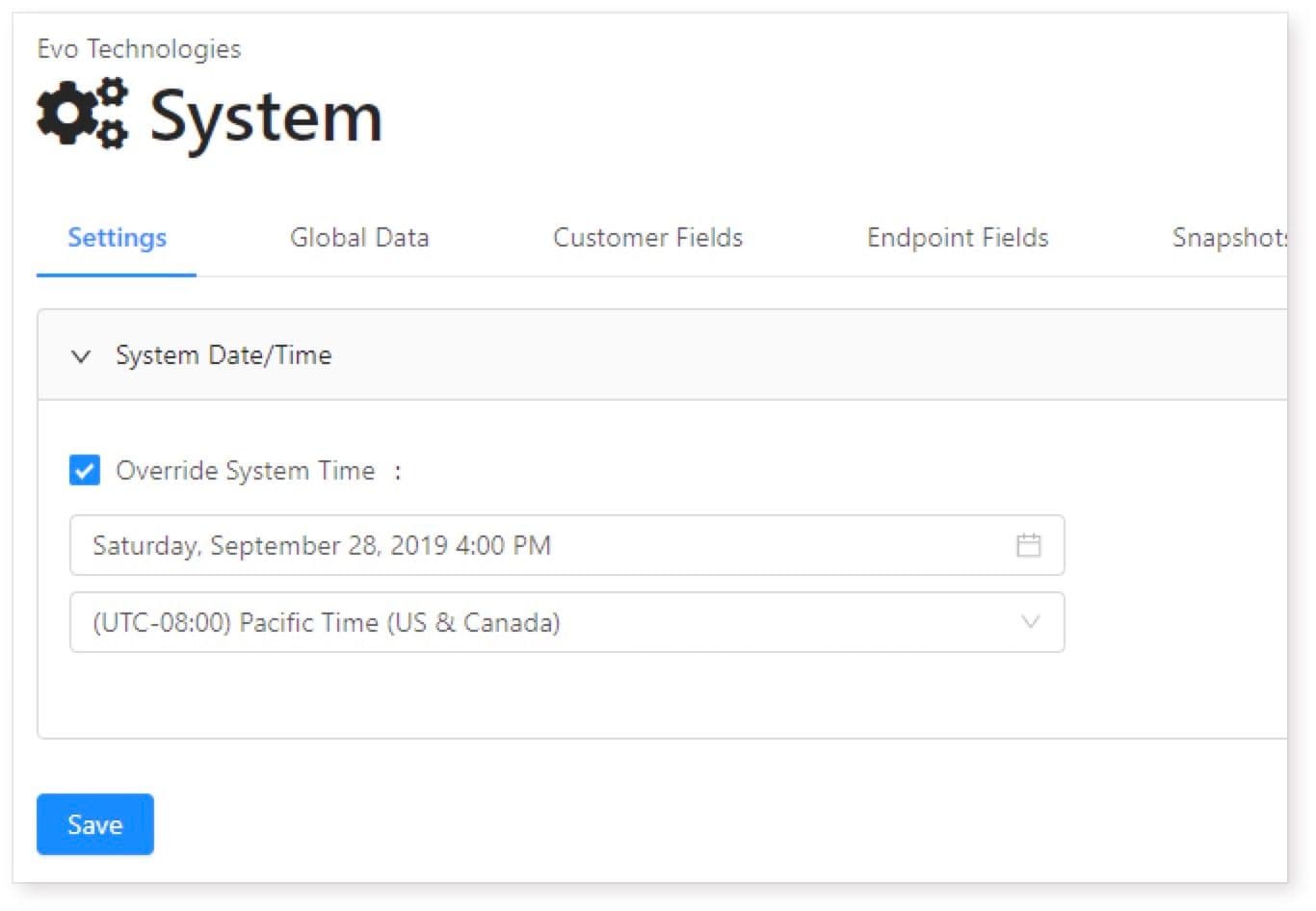
The system also supports day of week routing. For example, setting the system time to Thursday will trigger the mid-week greeting.
Important Reminder
Always disable the date/time override after testing to avoid affecting real calls. Follow these steps to effectively set up and test time of day routing in Evo Voice.