
Evo Voice offers a simple yet robust call center functionality through the Queue Node.
Queue Node:
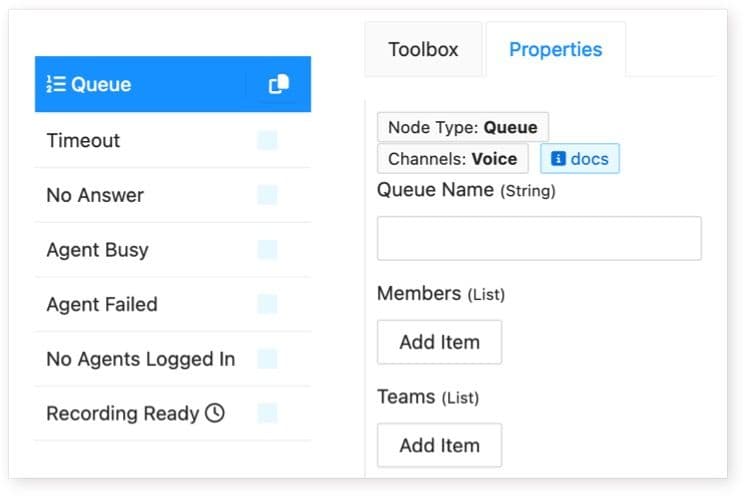
The Queue Node forms the backbone of call center queueing, allowing creation of standard call queues that ring members in a least active fashion.
Queues:
-
Name:
-
Each queue must have a unique name.
-
Examples: "Sales," "Support."
-
-
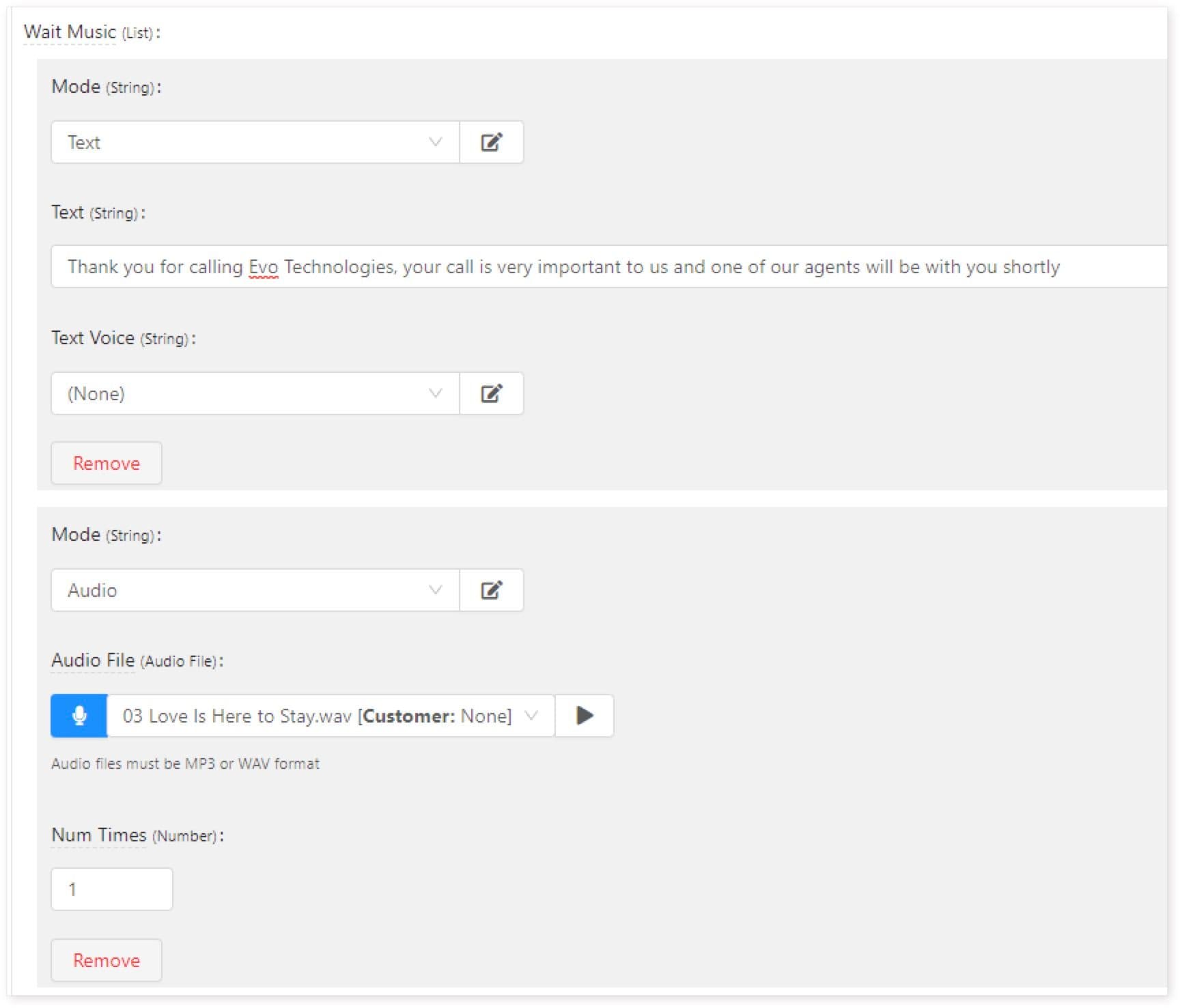
Wait Music:
-
Customize messages (text to speech or audio) for callers on hold.
-
Configure sequences for messages and music.
-
Timeouts:
-
Queue Timeout: Determines maximum wait time in queue.
-
Agent Timeout: Determines maximum ringing time for agents.
-
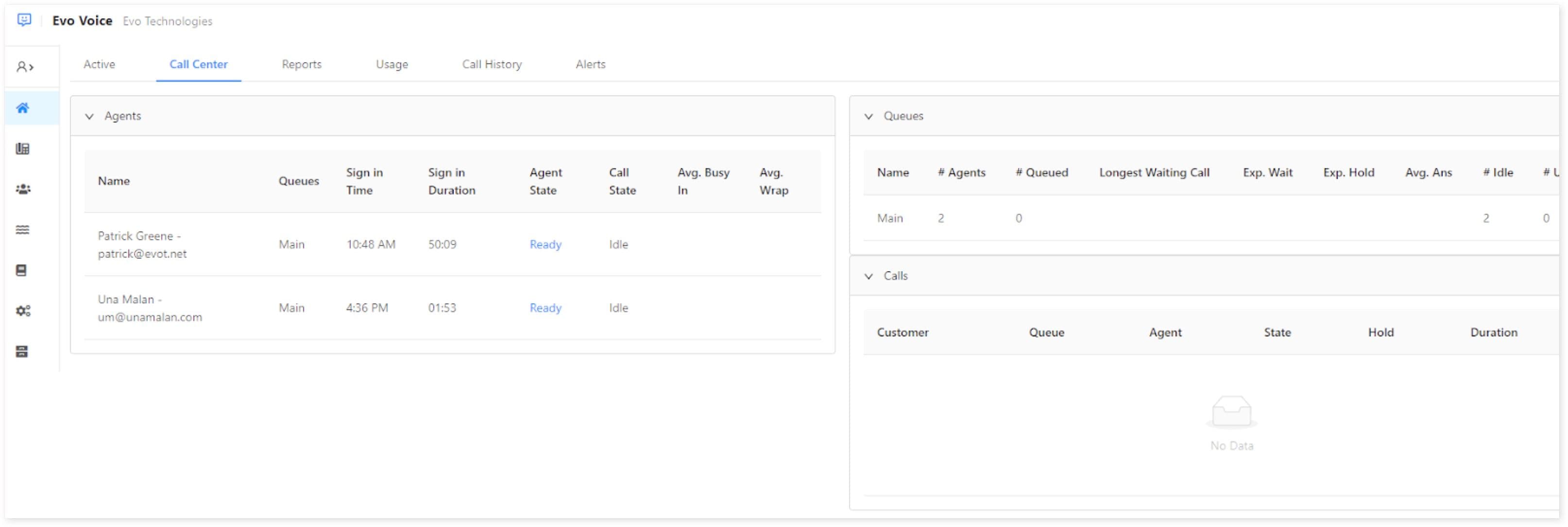
Dashboard:
Real-time stats for queues are available in the Call Center tab on the Dashboard once a Queue Node is added to any flow.
HostedSuite Integration:
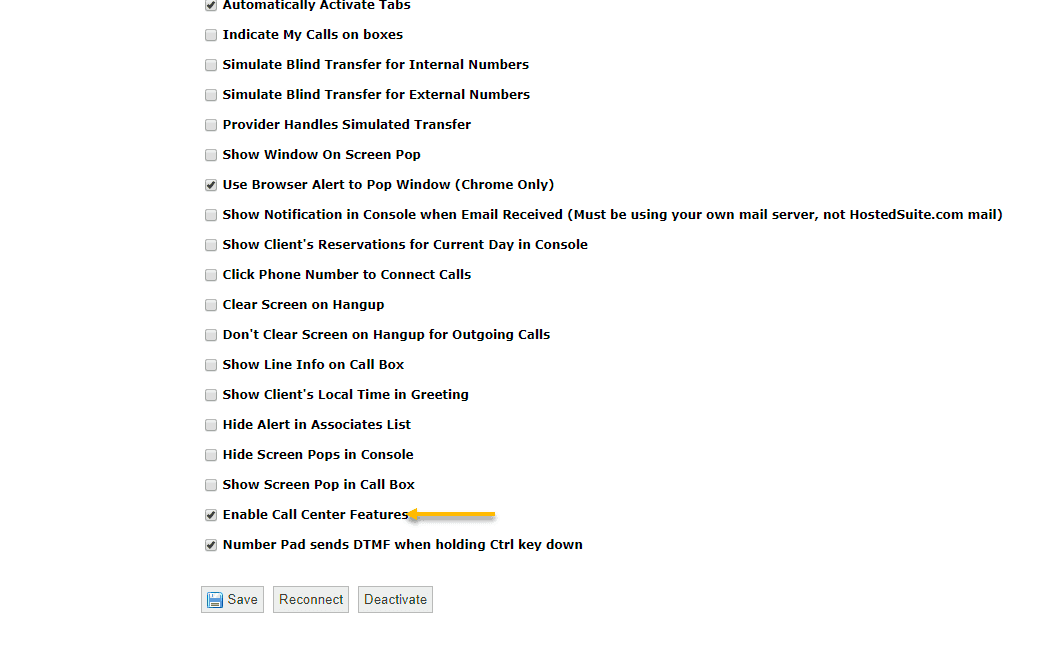
- Enable Call Center Features:
-
Access phone system config in HostedSuite.
-
Check "Enable Call Center Features" on the Settings tab.
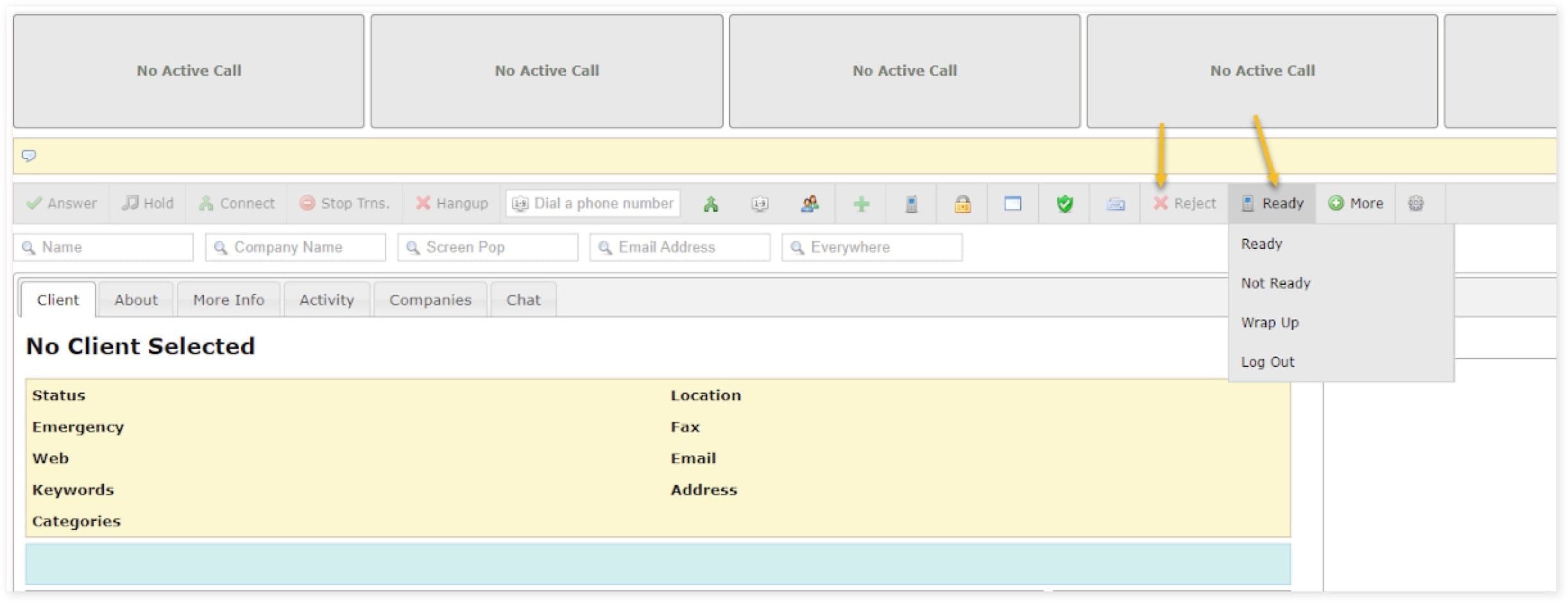
- Agent Tools:
-
Agent State Button: Allows agents to set status (e.g., Not Ready, Logout).
- Reject Button: Enables agents to bounce ringing calls to other agents.
Conclusion:
With the Queue Node and HostedSuite integration, setting up and managing a call center becomes efficient and effective in Evo Voice.
Follow these steps to establish your call center seamlessly.