
Follow these steps to integrate the Voice system into HostedSuite.
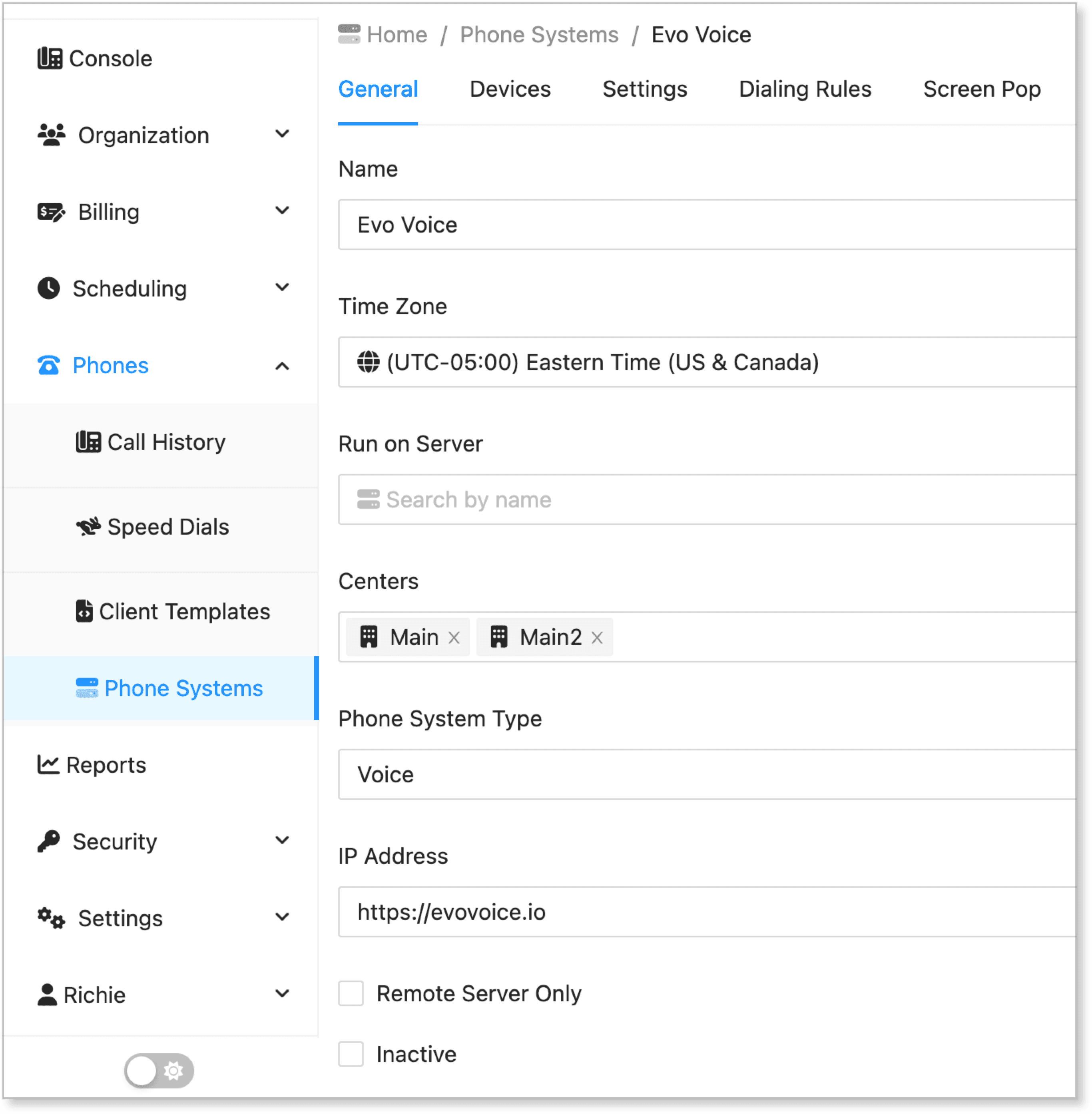
Adding a New Phone System
-
In the HostedSuite dashboard, go to the Phones section and select Phone Systems.
-
Click the New Phone System button. Alternatively, you can click on an existing phone system setup with Voice.
-
In the General tab, add the basic details: name of the phone system, timezone, and centers.
-
For phone system type, select Voice.
-
Click Save to add the new phone system.
Adding a Voice User
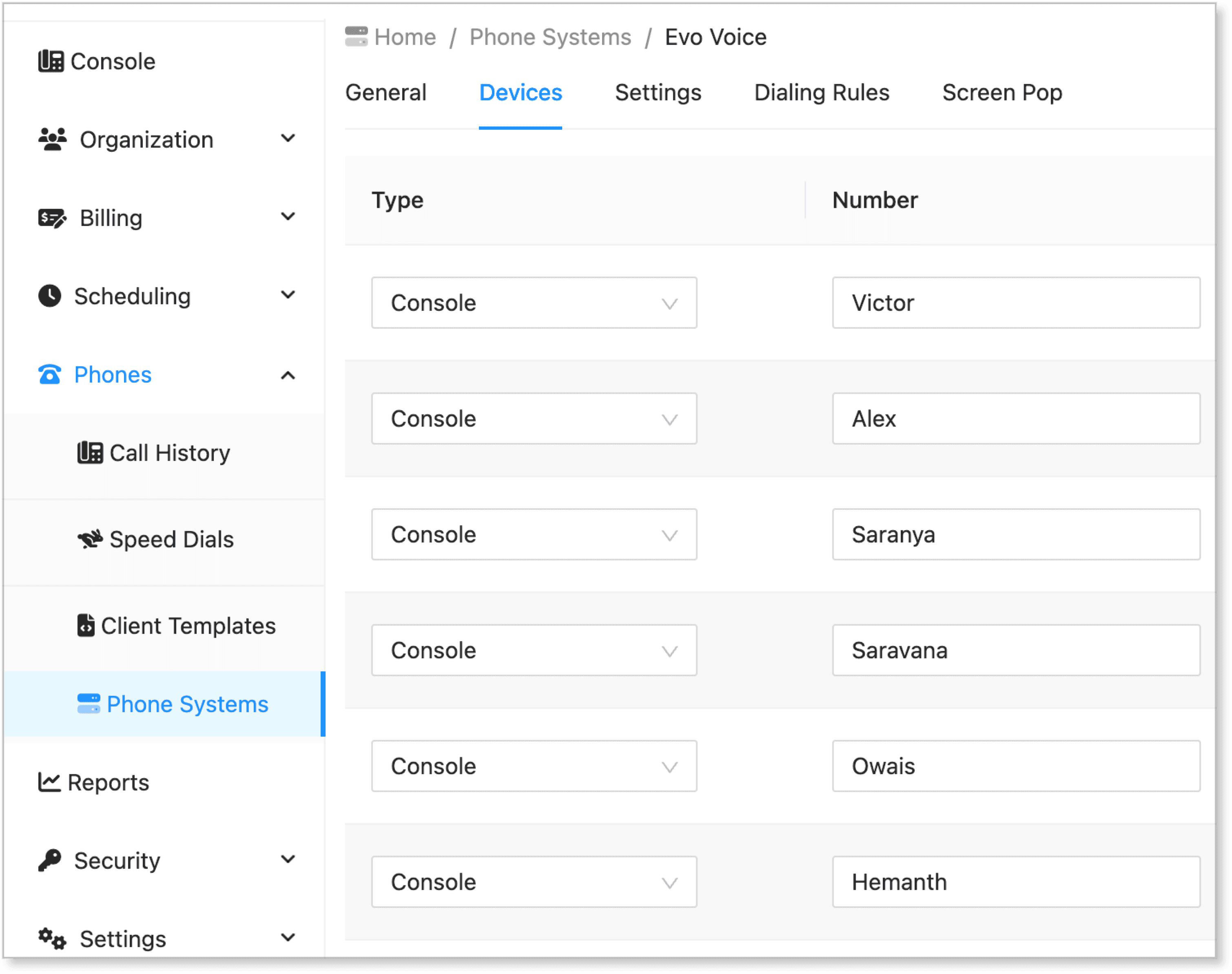
-
Switch to the Devices tab.
-
Click the Add New button.
-
Enter the following details:
| Field | Input |
|---|---|
| Type | Console |
| Number | Enter the name or number |
| Xfer Delay | Enter a number in seconds |
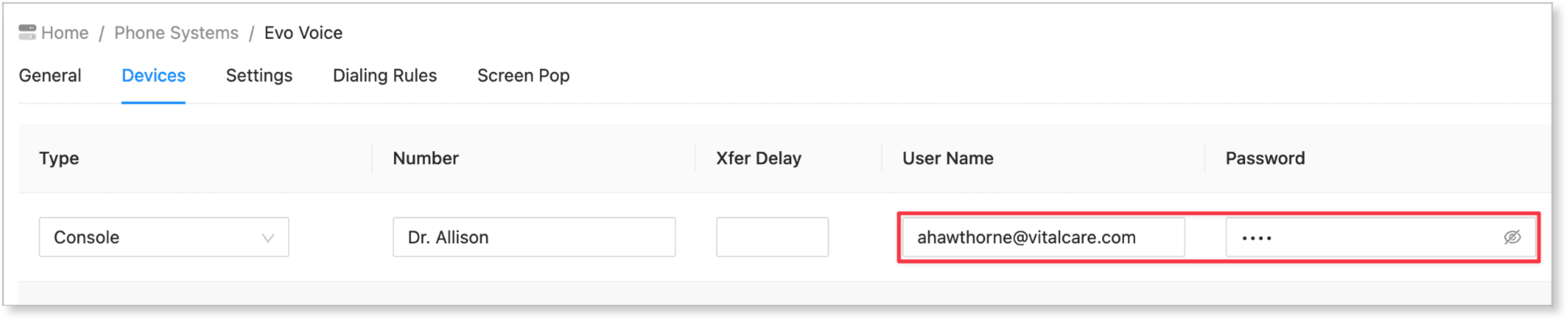
| Username | Enter the username shown in Voice account |
| Password | Enter the user's password |
| Disabled | Check this option to disable the device |
| Center | Enter the applicable center |
- Click Save to add the new device.
Getting User Information from Evo Voice
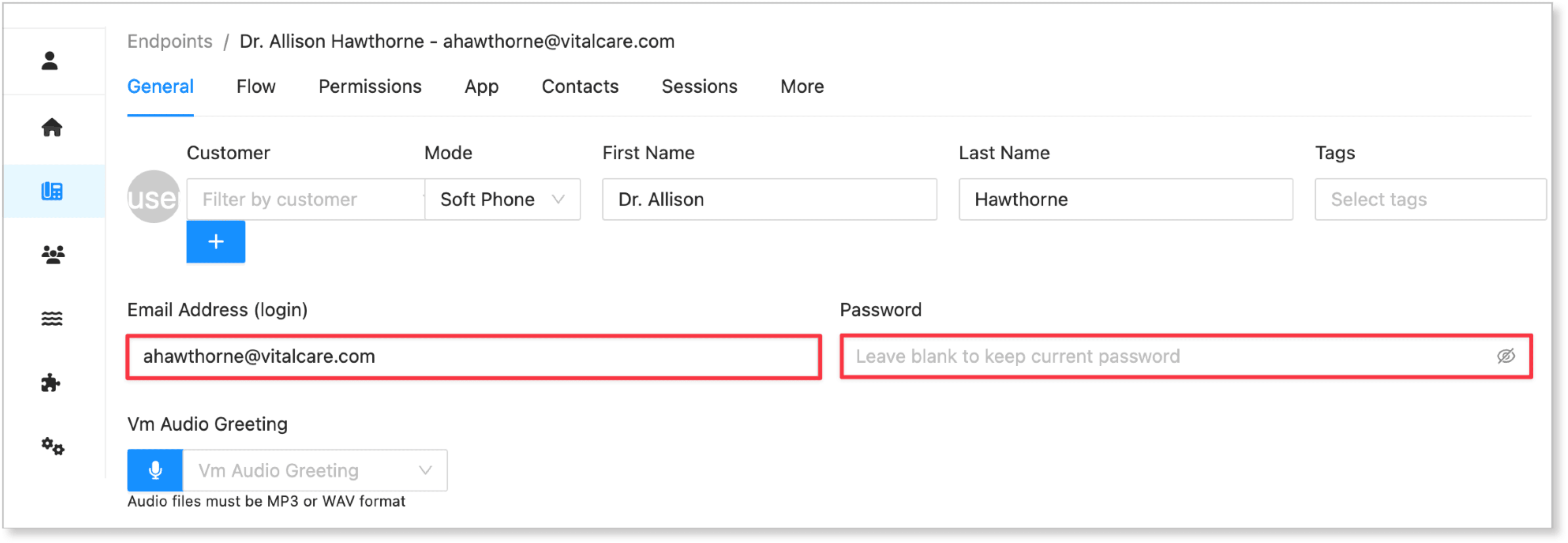
-
Log in to your Evo Voice account.
-
Click Endpoints.
-
Select a user.
-
The username and password will be the email address or username shown in the login credentials.
-
Copy the username and password, then add them to the HostedSuite Phone system using the steps in "Adding a Voice User".
Pre-requisites for Setting Voice Devices in HostedSuite
Integrating voice devices will provide additional support and features to create a seamless phone system.
Before you proceed with the guide above, ensure the following:
-
Client Setup: You need to have a client already set up in HostedSuite.
-
Operator Phone Number: Each client should have an operator phone number configured. We'll use connect a flow to the phone numbers in Evo Voice.
Simplified Explanation
In HostedSuite, you can assign a general phone number for a client, such as a reception or department phone number. However, handling calls—such as redirecting, scheduling, and managing voice messages—requires a comprehensive phone system. This is where the voice device integration comes into play.
Additional Guides
To set up the client and phone system in HostedSuite, follow the detailed instructions provided in this guide: Setting up main operator phones for clients.