
🧭 Overview
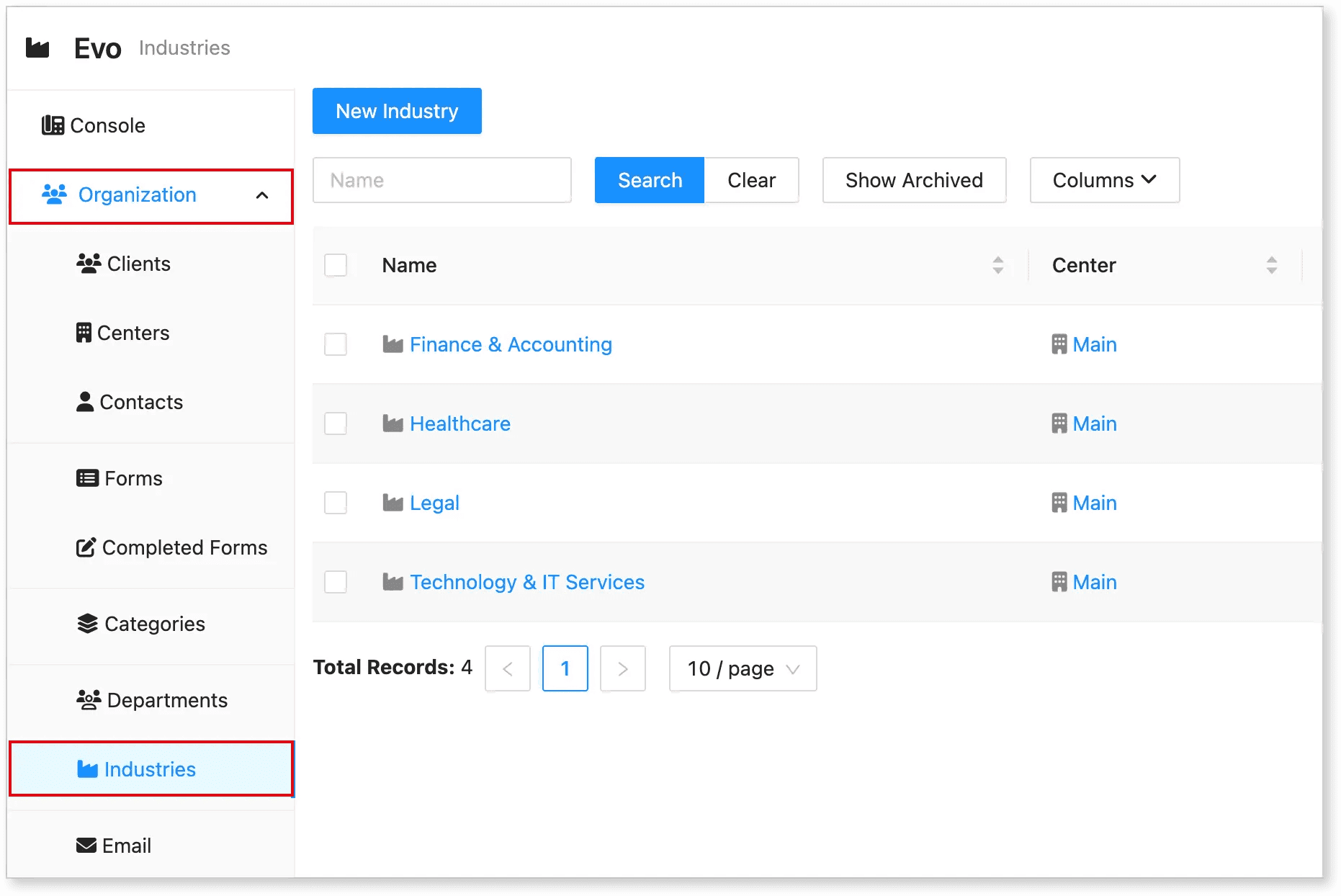
The Industries tab is part of the Hostedsuite organization used to manage and categorize different industry profiles associated with clients and centers. Each record links to a specific Center and shows the Last Modified details for audit tracking.
🖥️ Where to Find It
-
Login into your Hostedsuite account
-
Select Organization from the left sidebar
-
Click on Industries
You will see a table listing all current industries with columns:
-
Name: Name of the industry
-
Center: The center it belongs to (e.g., Main, Evotech)
-
Last Modified: Shows when and by whom the record was last updated
Other features include:
-
Search bar to filter industries by name
-
Show Archived to view hidden/archived records
-
Columns dropdown to customize visible fields
-
Pagination control (e.g., 10 / page)
➕ How to Add a New Industry
To create a new industry record:
-
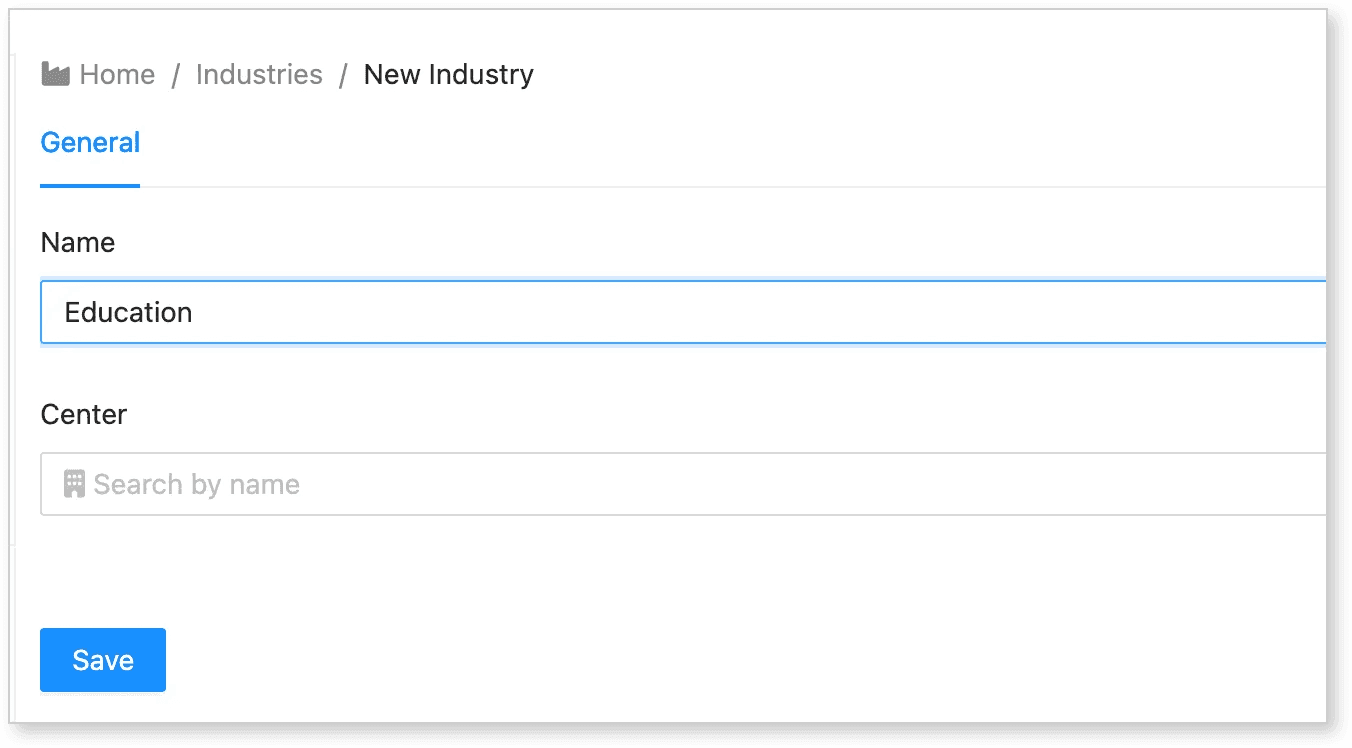
Click the "New Industry" button at the top of the page.
-
A form or pop-up will appear prompting for the following details (fields may vary):
-
Name of the Industry
-
Associated Center
-
-
Fill in the required information.
-
Click Save or Submit to finalize the entry.
The new industry will now appear in the list and can be searched, edited, or archived as needed.
🛠️ Additional Tips
-
Use consistent naming conventions for easier search and filtering.
-
Use the Center field to properly assign industries to relevant regional or organizational branches.
-
Regularly review and archive outdated or inactive industry entries using the Show Archived toggle.
📞 Need Help?
If you encounter issues while adding or managing industries, please contact Evo Support for assistance.