
A center can establish standard rates for its rooms or services, which may include multiple levels or breakdowns based on the quantity of services provided.
Steps:
-
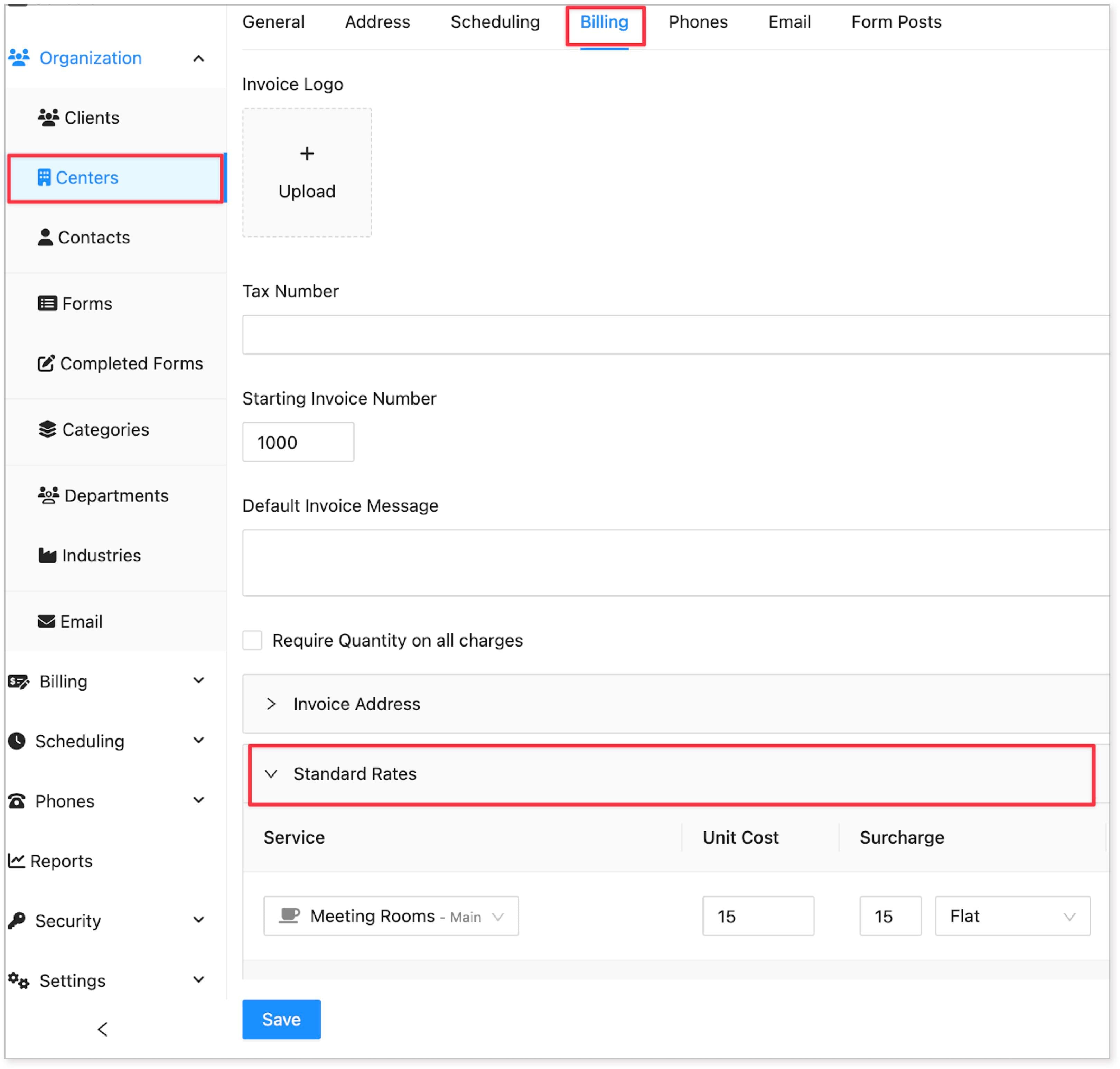
Navigate to the Organization menu and select Centers.
-
Choose the desired center to add the standard rates.
-
Access the Billing tab and click the Standard Rates to start adding the rates.
-
Click the Add New button.
-
Input the pricing details:
-
Select the service to which the rates will apply.
-
Define the unit cost, such as 1 room space equals 1 unit.
-
Optionally, add a surcharge if applicable.
-
Set up to three levels of pricing, specifying rates for different intervals.
-
-
After adding the pricing details, click Save to apply the changes. You can continue adding more standard rates as needed.
Pricing Breakdown Examples:
Here are examples demonstrating how to set pricing for standard rates:

Example 1: Standard Meeting Room
-
Service: Standard Meeting Room
-
Fixed Cost: $15
-
Unit Cost: $15 per hour
-
Levels:
-
Level 1: $15/hr for up to 4 hours
-
Level 2: $10/hr for 4-8 hours
-
Level 3: $8/hr for 8+ hours
-
Example 2: Projector
-
Service: Projector
-
Fixed Cost: $25
-
Unit Cost: $15 per hour
-
Levels: (Defaults)
Summary:
Standard rates for rooms or services can be set up in HostedSuite by selecting the desired center, accessing the billing tab, and defining pricing details including unit costs, surcharges, and pricing levels for different time intervals. Examples illustrate how to structure standard rates for various services.