
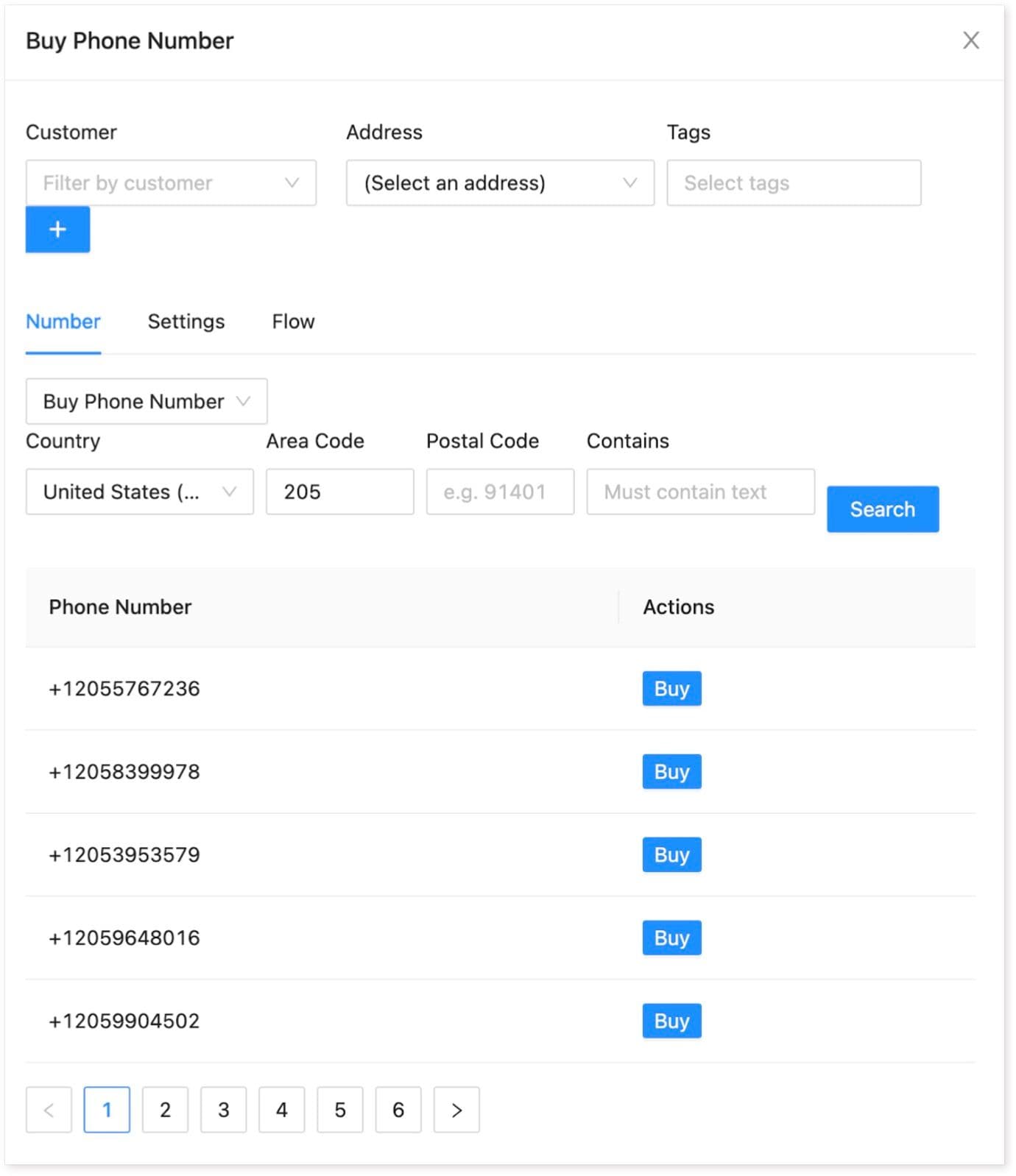
To acquire a phone number, follow these steps:
-
Navigate to the Endpoints menu.
-
Click on the "New Endpoint" button.
-
Select "Incoming Phone Number" from the options.
-
Filter the available numbers by area code and/or postal code then hit the Search button.
-
Optionally, associate the new phone number with a Customer.
-
Once you've identified the desired phone number, click the "Buy" button.
Upon completing the purchase, the phone number becomes active and ready for use. You can then associate it with a Flow to initiate communication processes.
Deleting a Phone Number
In general, we recommend deleting a Phone Number only if you are absolutely certain that it will never be used again. It's important to understand that deleting a phone number releases it on the Twilio side, which means there's no guarantee you'll be able to retrieve the same number again. Deleting a phone number permanently releases it.