
Follow these steps to deactivate a phone line for a customer in EvoVoice.
Step 1: Gather Customer Information
Before proceeding, ensure you have the following details:
-
Client Name
-
DID (Phone Number) to be Deactivated
Step 2: Log in to EvoVoice
-
Open your browser and go to evovoice.io.
-
Log in with your admin credentials.
Step 3: Locate the Customer’s Endpoints
-
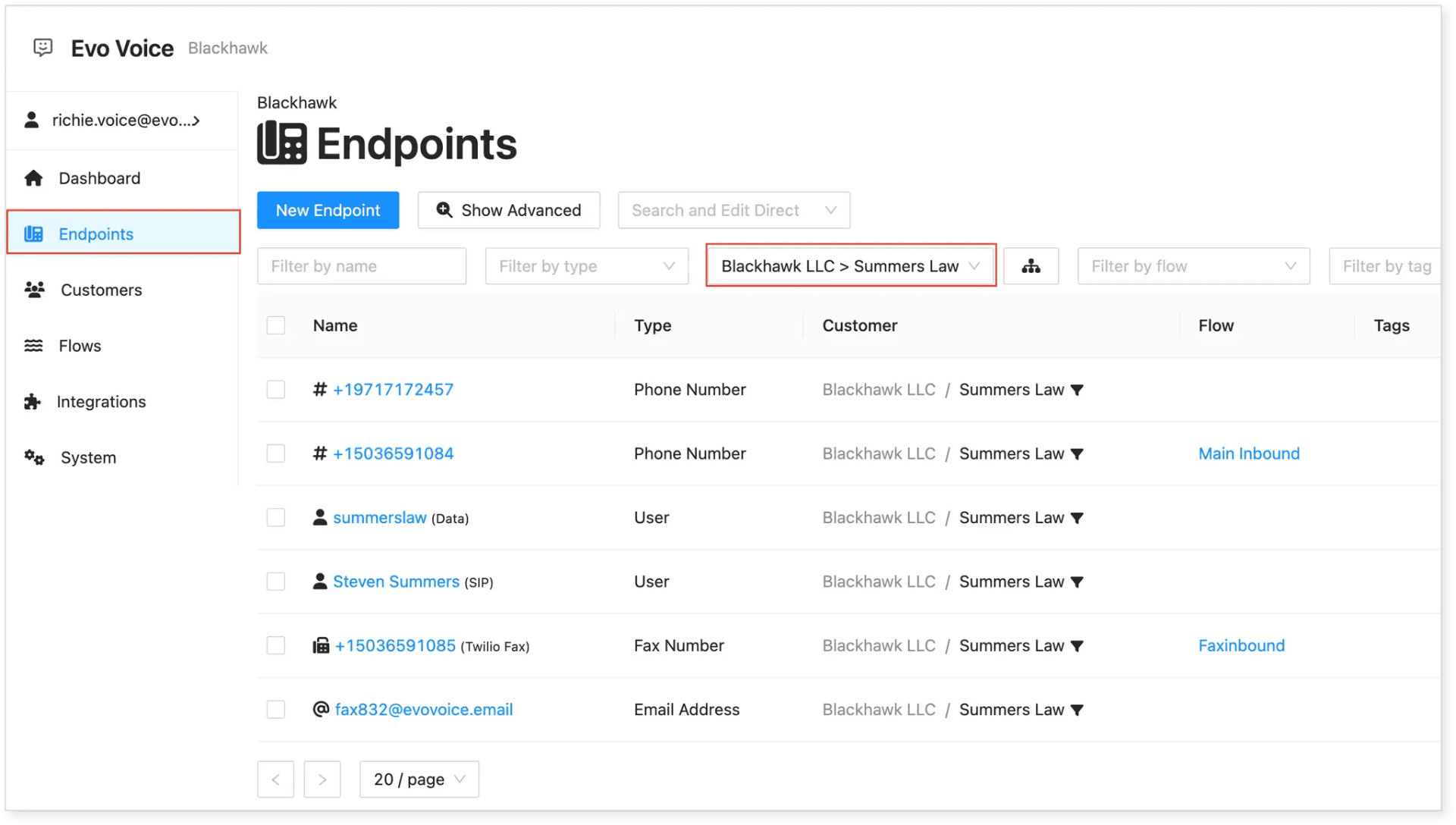
Click on Endpoints in the menu.
-
Use the Filter by Customer option.
-
Enter the client’s name (e.g., Summers Law) and select from the dropdown list.
-
A list of the customer’s endpoints (phone lines) will appear.
Step 4: Deactivate the Phone Line
-
Find and select the DID/Phone Number you want to deactivate.
-
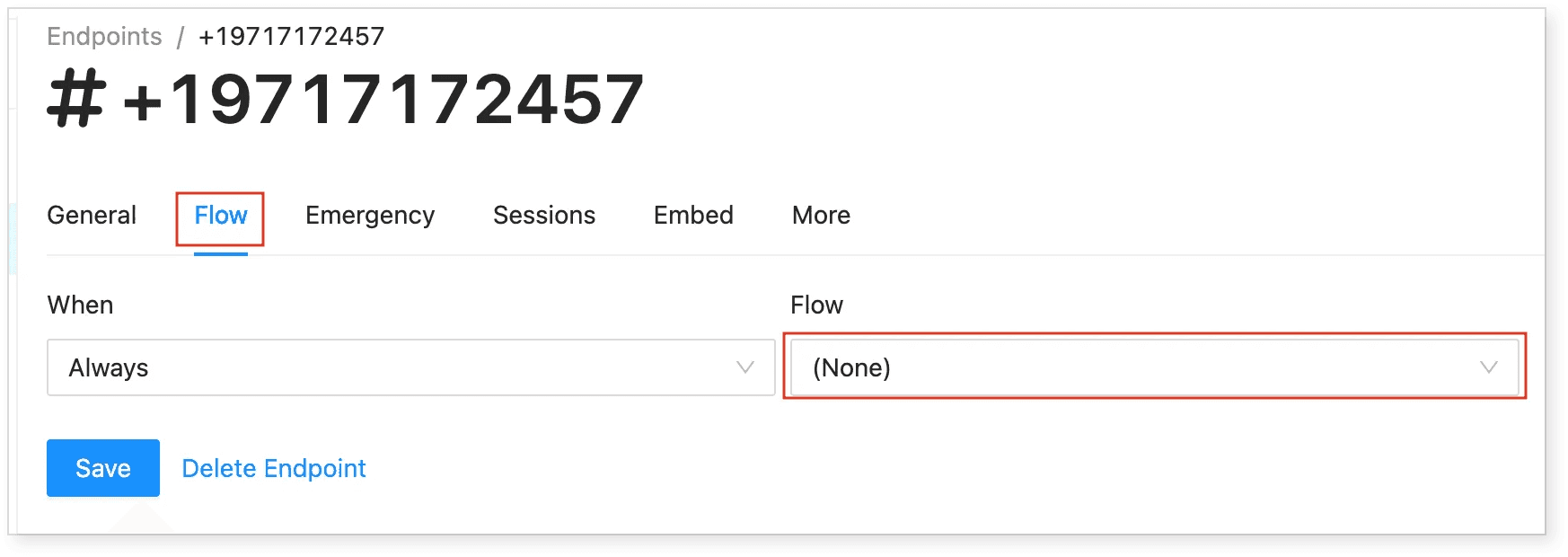
Navigate to Flow > When > Always.
-
Set Flow to None.
-
Click Save to apply the changes.
Step 5: Releasing the Number (Optional)
-
If you need to release the number from your organization’s account, click Delete Endpoint.
-
Important: Deleting the number will remove it from the account permanently.
-
The phone number can be repurchased within 10 days of deletion.
-
After 10 days, the number will be unrecoverable.
-
Following these steps ensures a smooth deactivation process for inactive users in your EvoVoice account.