In Evo Voice, Endpoints represent entities capable of making and/or receiving communication. They encompass various communication channels and devices.
Examples of Endpoints:
-
Incoming Phone Number (DID): An endpoint that receives communication, such as incoming calls or SMS messages when someone contacts a specific phone number.
-
User (Device/Extension): An endpoint capable of both making and receiving communication. Users can initiate calls and receive incoming calls.
Types of Endpoints in Evo Voice include:
-
Phone Numbers: Incoming phone numbers capable of receiving calls and messages.
-
Users: Individuals or devices capable of initiating and receiving communication.
-
Team: <span style="color: #0d0d0d;">a collection of individual users who are group together.</span>
-
Email Addresses: Endpoints for sending and receiving emails.
-
Skype Bots: Automated communication agents integrated with Skype.
-
Slack Bots: Automated communication agents integrated with Slack.
These various endpoint types facilitate versatile communication capabilities within Evo Voice.
Endpoints Overview
Endpoints in Evo Voice are associated with specific Flows, which dictate the actions taken when communication is initiated. Each Endpoint type has a designated Flow execution scenario:
-
Phone Number (DID): The associated Flow executes when someone dials the associated phone number or sends an SMS message to it.
-
User: The Flow executes when the User initiates a call, such as picking up a handset on a SIP device or making a call through the App.
-
Email: The Flow executes when an email is sent to the specified email address.
It's worth noting that Users have a single Flow setting because their communication activities occur within another Endpoint's Flow. For instance, when a User is dialed, it happens within another Endpoint's Flow, such as an Incoming Phone Number, which then executes actions like dialing the User.
Endpoints and Customers
In Evo Voice, Endpoints can be optionally linked with Customers. When a Customer is associated with an Endpoint, the Customer's data becomes accessible within the Flow connected to that Endpoint.
Refer to the main topic on Customers for further details on leveraging Customer-specific data within a Flow.
Endpoints Fields
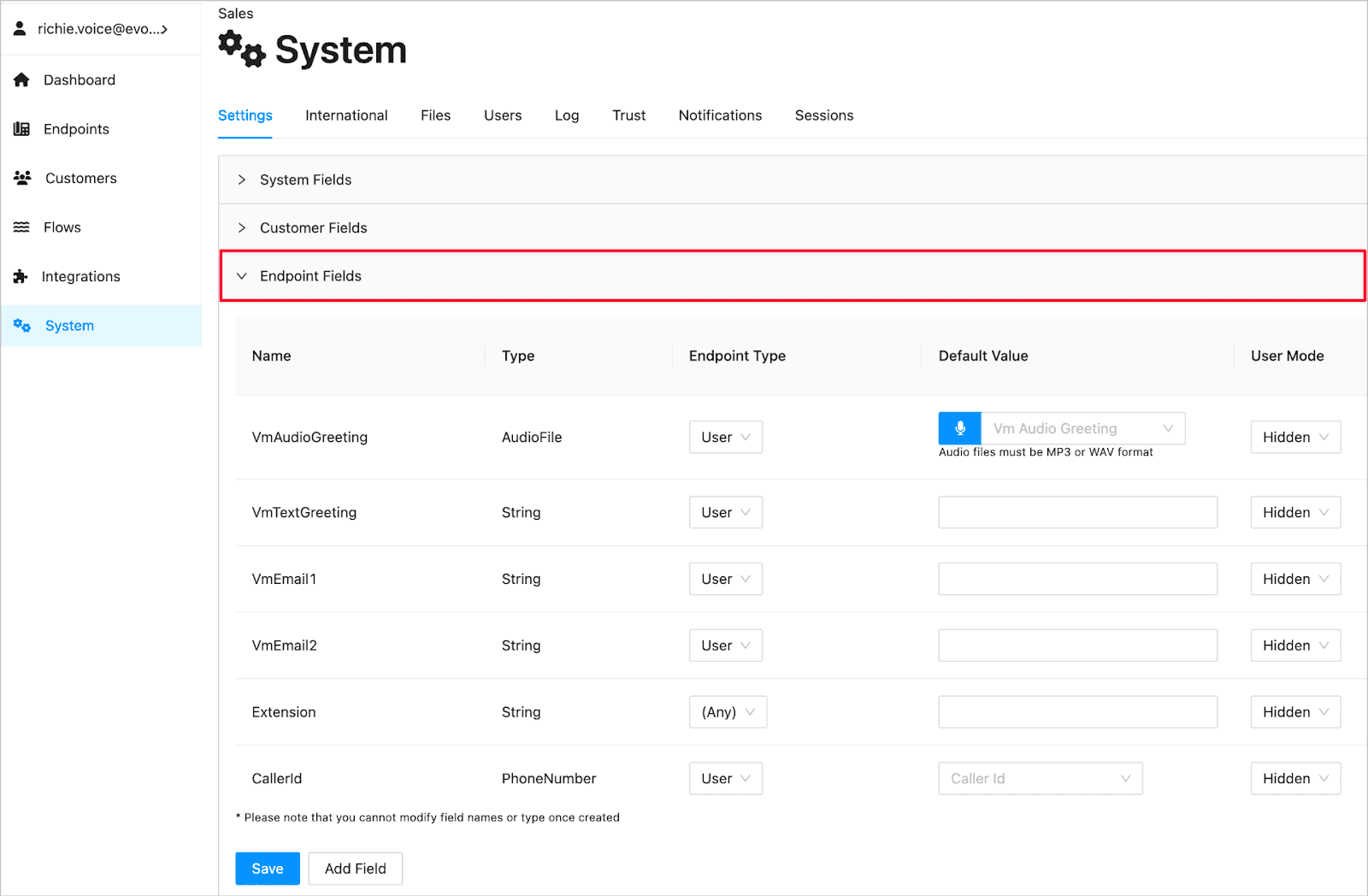
Endpoints in Evo Voice can be enhanced with custom data fields, enabling the control of Flows.
To manage these fields, navigate to the System > Settings > Endpoint Fields as illustrated below:
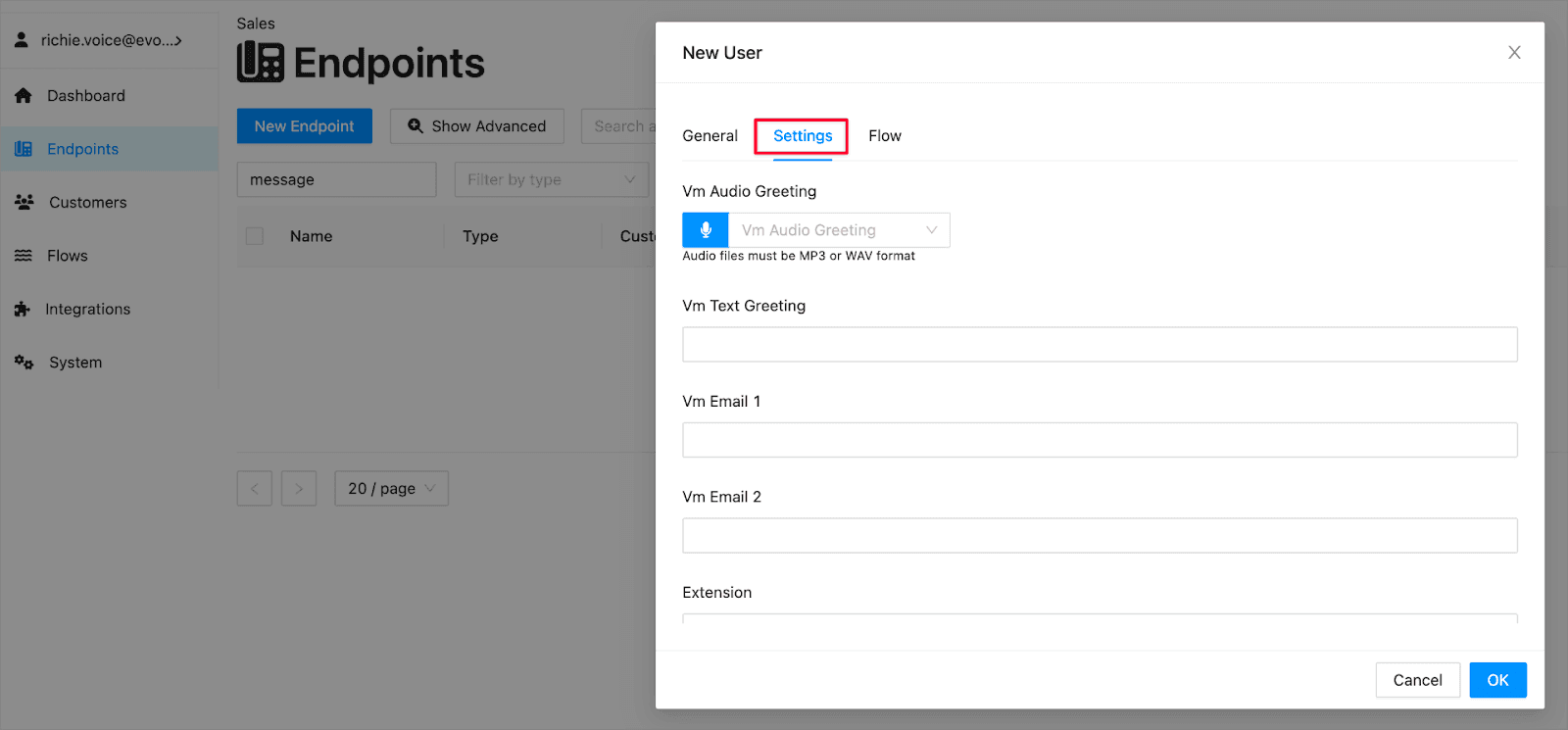
Once configured, these fields will appear on the Endpoint edit screen under Settings, facilitating customization:
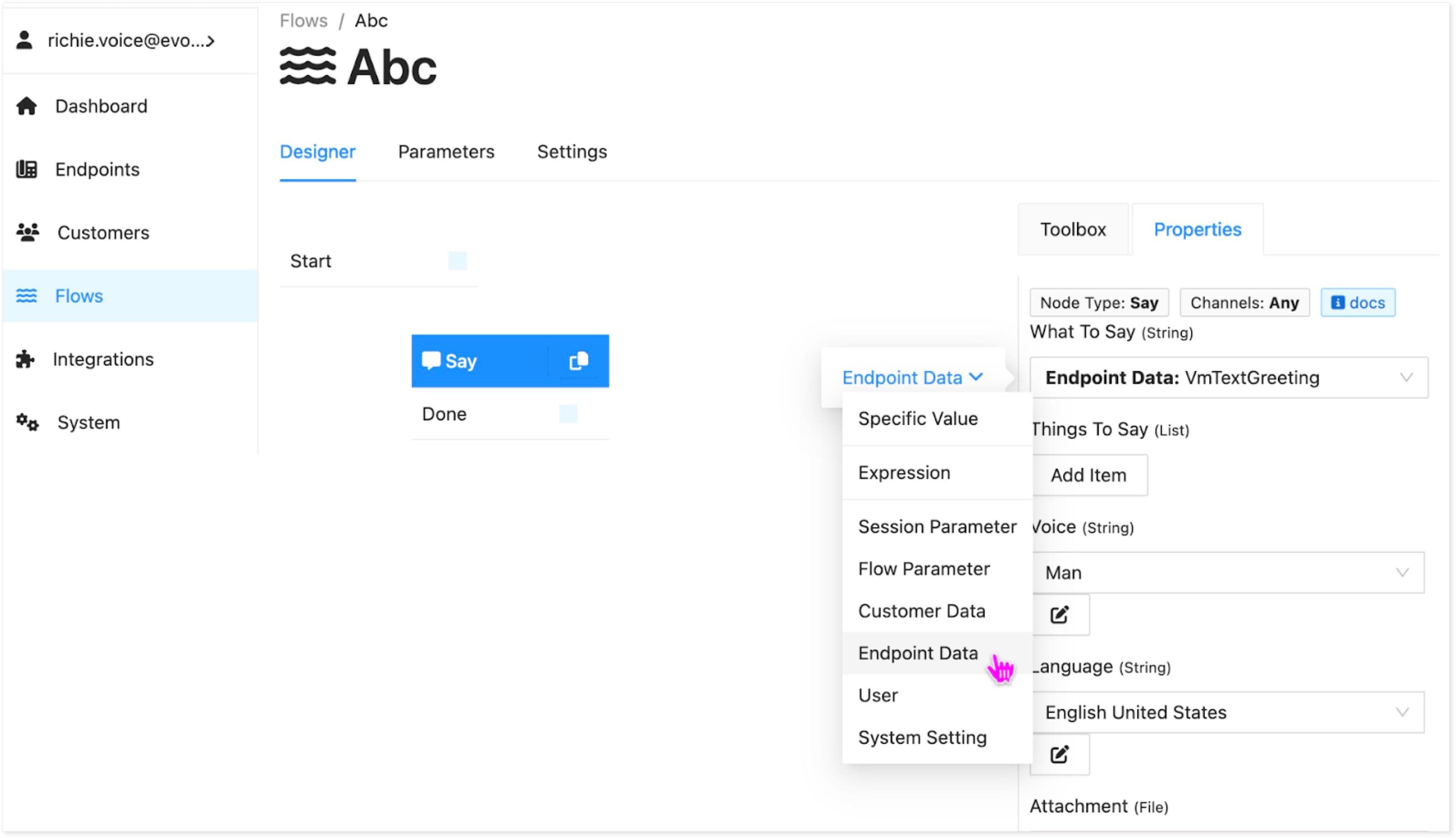
To incorporate these fields into a Flow associated with the Endpoint's data, select the Endpoint value source for any field, allowing for seamless integration.