
Introduction
If you don’t have a Hosted Suite account but still want to use AI-powered call handling, you can create an AI Assistant in Evo Voice. This feature allows you to provide key details that the AI will use to enhance call management and response accuracy.
This guide walks you through the process of setting up an AI Assistant in Evo Voice, including key configuration settings.
Step 1: Create a New AI Assistant
-
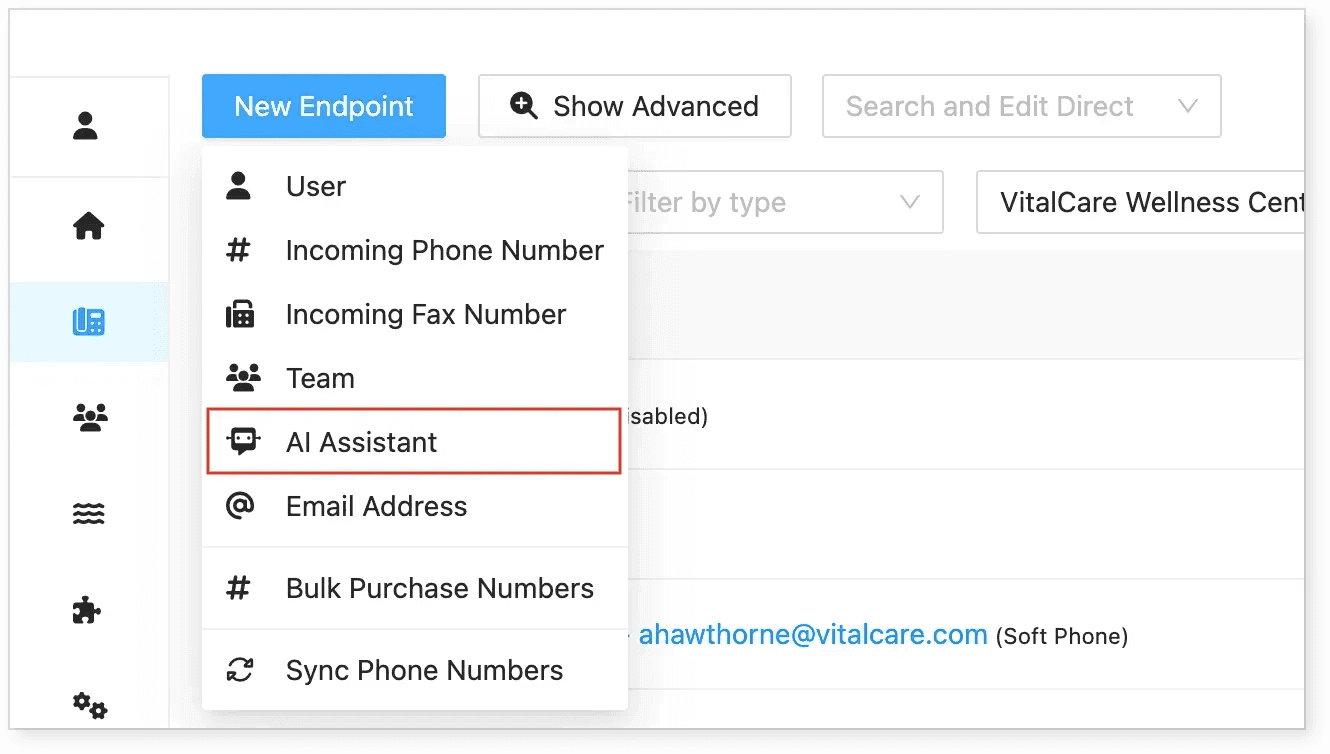
Go to the Endpoints tab.
-
Click New Endpoint.
-
Select AI Assistant as the endpoint type.
-
Enter the Assistant Name and fill in details about your organization.
-
Add as much relevant information as possible to help the AI provide accurate responses.
Step 2: Configure the Assistant Settings
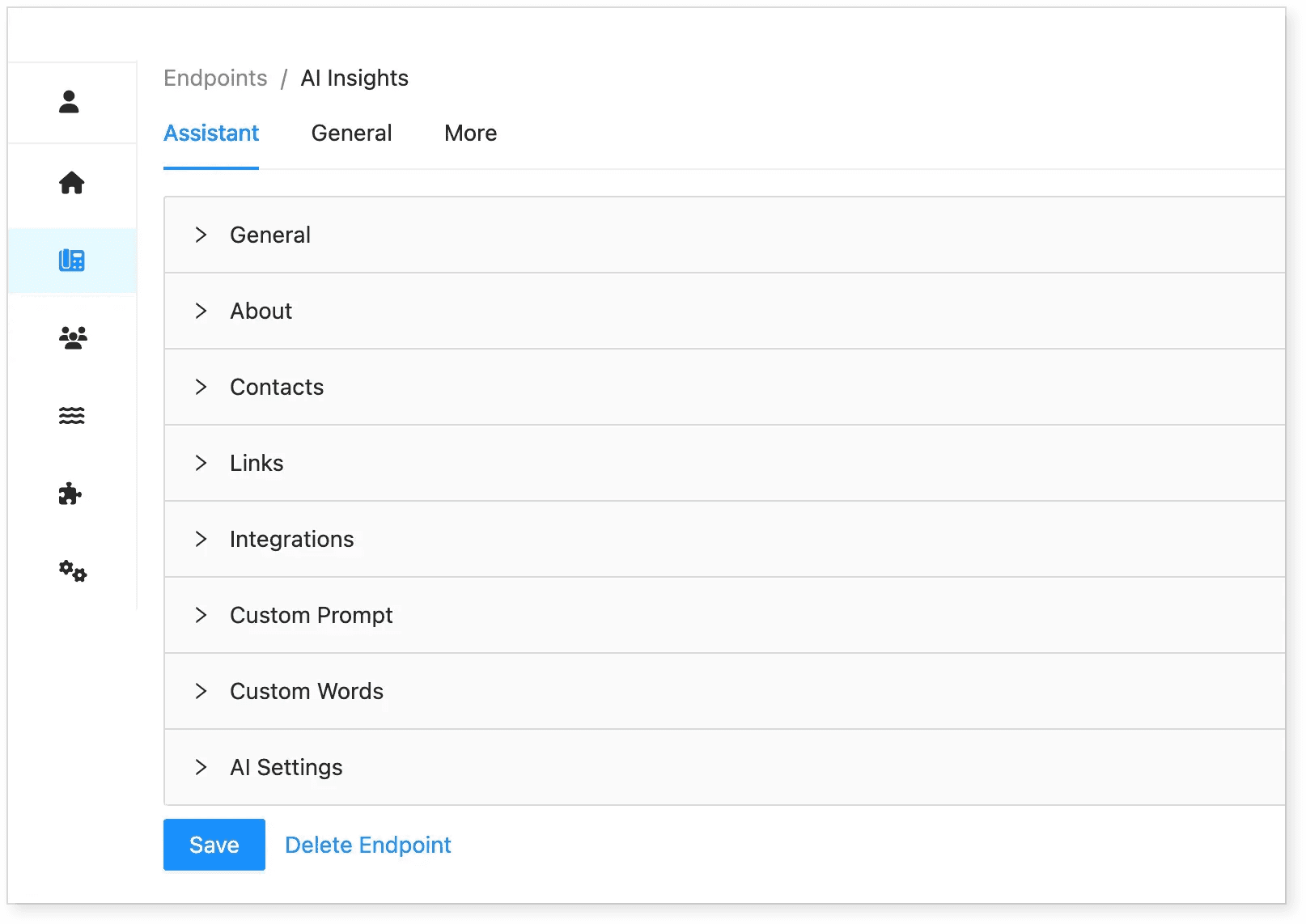
General Tab
-
Company Name: Enter your organization’s name.
-
Greeting: Define the default greeting when calls come through.
-
About: Provide a brief summary of your company, including background and services.
-
Links: Add your website and any other relevant links that help AI provide better responses.
Integrations
-
If you have API integrations, enter them here.
-
Evo Support may need to configure this section if you have additional integrations.
Custom Prompt
-
A customized prompt guides how the AI should respond in specific situations.
-
For detailed instructions, see Configuring Customized Prompts.
Step 3: Adjust AI Settings
| Setting | Description |
|---|---|
| Tuning | Optimize AI for precision (detailed responses) or speed (faster responses). |
| Accuracy Mode | Uses advanced text-to-speech and speech-to-text for precise interactions. |
| Speed Mode | Prioritizes fast responses by embedding key details into prompts. |
| Voice | Select a preferred AI voice. |
| Voice Style | Set to default unless specific customization is needed. |
Step 4: Set General Settings
-
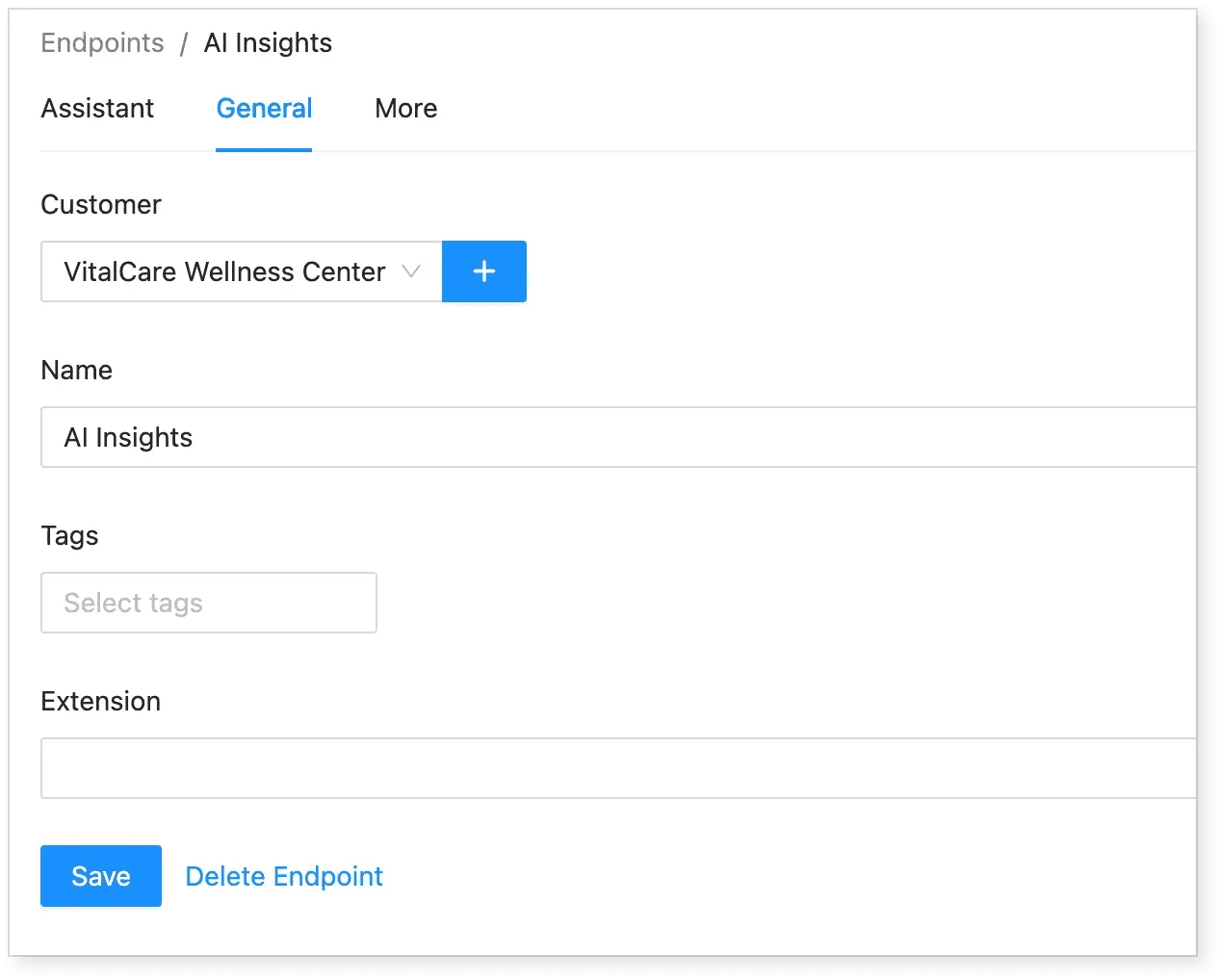
Customer: Assign the AI Assistant to a specific customer or select None to make it available for all customers.
-
Name: Set the name of the AI Assistant.
-
Tags: Use tags to categorize and organize endpoints for easy filtering.
-
Extension: Assign an extension number for proper call routing.
Summary
By setting up an AI Assistant in Evo Voice, you can optimize call handling even without a Hosted Suite account. The AI uses company details, integrations, and customized settings to improve customer interactions.
🔗 Next Steps: Learn more about AI features and tools in Hosted Suite